> ## Documentation Index
> Fetch the complete documentation index at: https://docs.agentbees.ai/llms.txt
> Use this file to discover all available pages before exploring further.
# Onboarding
> Sign in with SSO or a password, and understand orgs and roles.
## Signing in
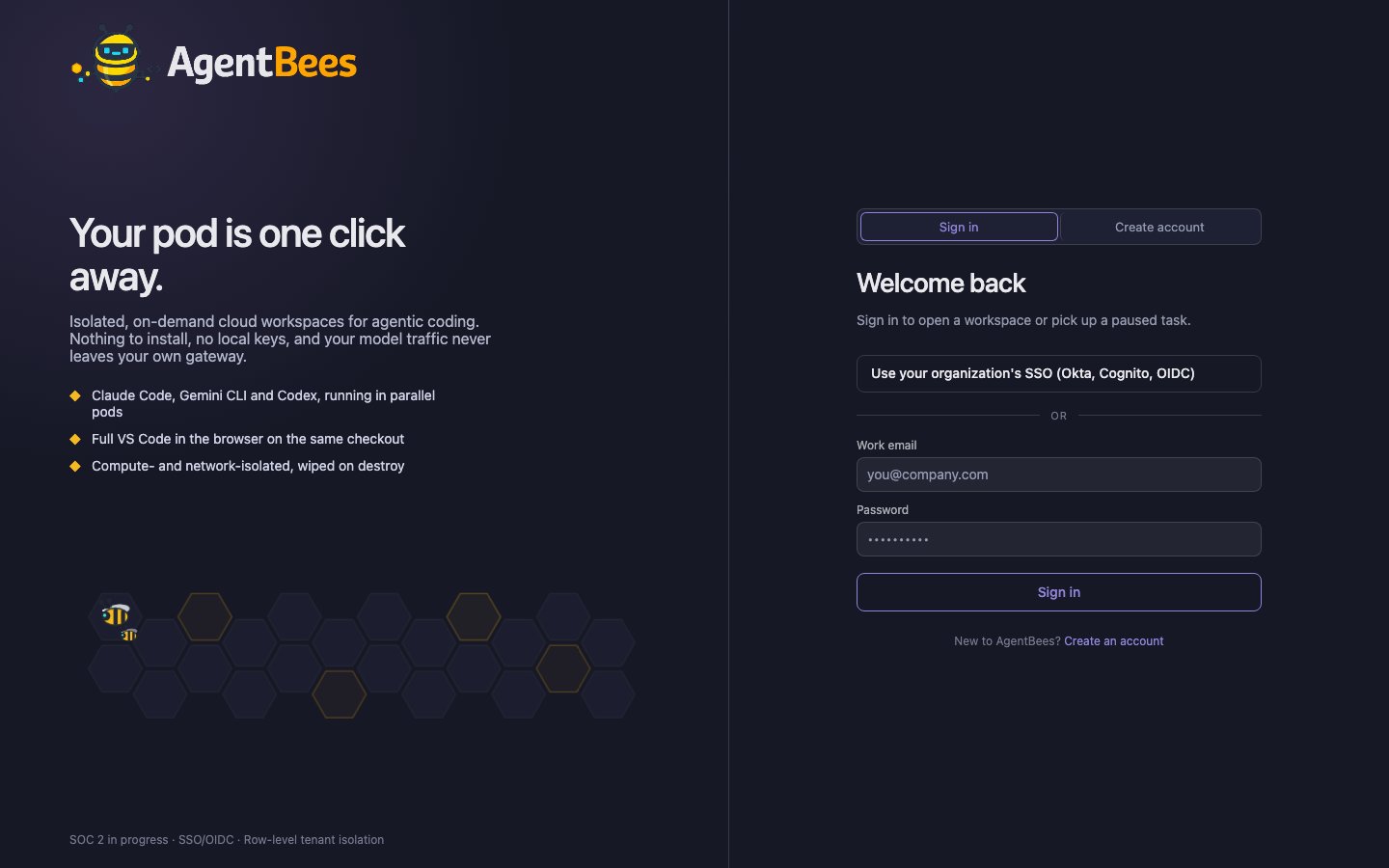 The login screen has two paths:
**Create account** provisions a personal, single-user org and makes you its
**org admin** — no teams, groups, or SSO to set up. Passwords must be at least
12 characters (a strength meter guides you).
**Sign in** authenticates an existing password account.
Click **"Use your organization's SSO"**, enter your **organization slug**, and pick a provider —
**Continue with Google / Microsoft / Okta / your OIDC provider**. You're redirected to your IdP
and back. Your role and team/group memberships are resolved from your IdP claims.
SSO accounts are typically pre-provisioned by an org admin (SSO-only onboarding), then claimed on
first login by matching your email.
## Orgs
Everything in AgentBees is scoped to an **organization** — your repos, tasks,
billing, LLM config, and members all live under one org, isolated from every other
tenant. A self-serve signup creates a solo org; larger orgs are set up with SSO and
member management.
## Roles
Three roles control what members can do:
| Role | Can do |
| -------------- | ---------------------------------------------------------------------------------- |
| **org\_admin** | Everything — configure LLM/SSO/billing, manage members, plus all developer actions |
| **developer** | Connect repos, create projects, create/cancel/merge tasks, use the Web IDE |
| **viewer** | Read-only |
Fine-grained permissions layer on top via teams and groups, but these three roles
are the defaults. An org admin sets up SSO providers and can map IdP groups to
roles and teams.
## What an admin sets up first
**Admin → Agent LLM** — pick a provider, model, and key (or a gateway). Tasks can't run until
this is set. See [LLM configuration](/agents/llm-configuration).
Add per-org providers (Google / Microsoft / Okta / generic OIDC) and group mappings.
Choose Monthly or Pay-per-use under **Admin → Billing**. See [Billing](/billing/overview).
See [Connect a repo](/getting-started/connect-a-repo).
The login screen has two paths:
**Create account** provisions a personal, single-user org and makes you its
**org admin** — no teams, groups, or SSO to set up. Passwords must be at least
12 characters (a strength meter guides you).
**Sign in** authenticates an existing password account.
Click **"Use your organization's SSO"**, enter your **organization slug**, and pick a provider —
**Continue with Google / Microsoft / Okta / your OIDC provider**. You're redirected to your IdP
and back. Your role and team/group memberships are resolved from your IdP claims.
SSO accounts are typically pre-provisioned by an org admin (SSO-only onboarding), then claimed on
first login by matching your email.
## Orgs
Everything in AgentBees is scoped to an **organization** — your repos, tasks,
billing, LLM config, and members all live under one org, isolated from every other
tenant. A self-serve signup creates a solo org; larger orgs are set up with SSO and
member management.
## Roles
Three roles control what members can do:
| Role | Can do |
| -------------- | ---------------------------------------------------------------------------------- |
| **org\_admin** | Everything — configure LLM/SSO/billing, manage members, plus all developer actions |
| **developer** | Connect repos, create projects, create/cancel/merge tasks, use the Web IDE |
| **viewer** | Read-only |
Fine-grained permissions layer on top via teams and groups, but these three roles
are the defaults. An org admin sets up SSO providers and can map IdP groups to
roles and teams.
## What an admin sets up first
**Admin → Agent LLM** — pick a provider, model, and key (or a gateway). Tasks can't run until
this is set. See [LLM configuration](/agents/llm-configuration).
Add per-org providers (Google / Microsoft / Okta / generic OIDC) and group mappings.
Choose Monthly or Pay-per-use under **Admin → Billing**. See [Billing](/billing/overview).
See [Connect a repo](/getting-started/connect-a-repo).