> ## Documentation Index
> Fetch the complete documentation index at: https://docs.agentbees.ai/llms.txt
> Use this file to discover all available pages before exploring further.
# Design mode
> Make UI, mockups, and artifacts with a live preview — no code needed.
**Design mode** turns an agent into a **product designer**. It produces real,
previewable pages — mockups and artifacts — without touching your application code.
It's ideal for exploring UI before anyone writes the implementation.
 ## What it produces
A design task writes a **single, self-contained** `design/index.html` (all CSS/JS
inlined) so it renders in a sandboxed preview. The agent works **only under
`design/`** — it never modifies your existing app.
## Start a design
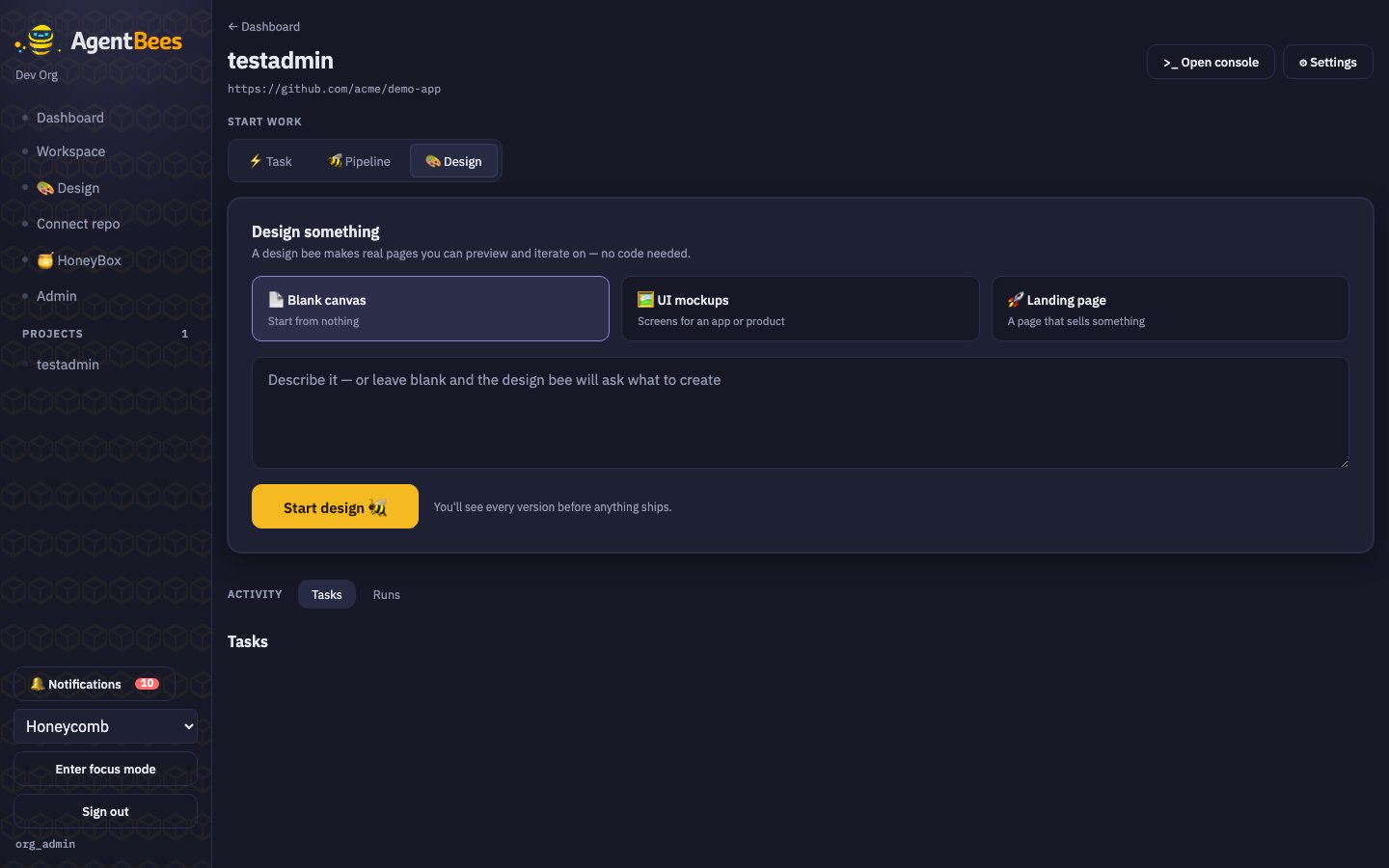
On the project page (or the standalone Design screen).
Choose a template card and describe what you want.
A design bee makes real pages you can preview and iterate on. You'll see every version before
anything ships.
Design mode runs on **Claude** and doesn't require the repo to be writable — it works in a scratch
space under `design/`. It's one of three experiences (Code, Cowork, Design) that share the same
engine.
## From design to implementation
Design outputs pair naturally with a [pipeline](/workflows/pipelines): the **Design
Agent** role produces mockups plus a `design/SPEC.md` (screens, components, states,
and the backend APIs they imply). Later stages — the coding agent and the PR review
agent — use that spec as the reference to build against and check the built UI
against.
Use Design mode to agree on the look first, then hand the mockups + spec to a pipeline so the
coding and review bees implement and verify against them.
## What it produces
A design task writes a **single, self-contained** `design/index.html` (all CSS/JS
inlined) so it renders in a sandboxed preview. The agent works **only under
`design/`** — it never modifies your existing app.
## Start a design
On the project page (or the standalone Design screen).
Choose a template card and describe what you want.
A design bee makes real pages you can preview and iterate on. You'll see every version before
anything ships.
Design mode runs on **Claude** and doesn't require the repo to be writable — it works in a scratch
space under `design/`. It's one of three experiences (Code, Cowork, Design) that share the same
engine.
## From design to implementation
Design outputs pair naturally with a [pipeline](/workflows/pipelines): the **Design
Agent** role produces mockups plus a `design/SPEC.md` (screens, components, states,
and the backend APIs they imply). Later stages — the coding agent and the PR review
agent — use that spec as the reference to build against and check the built UI
against.
Use Design mode to agree on the look first, then hand the mockups + spec to a pipeline so the
coding and review bees implement and verify against them.