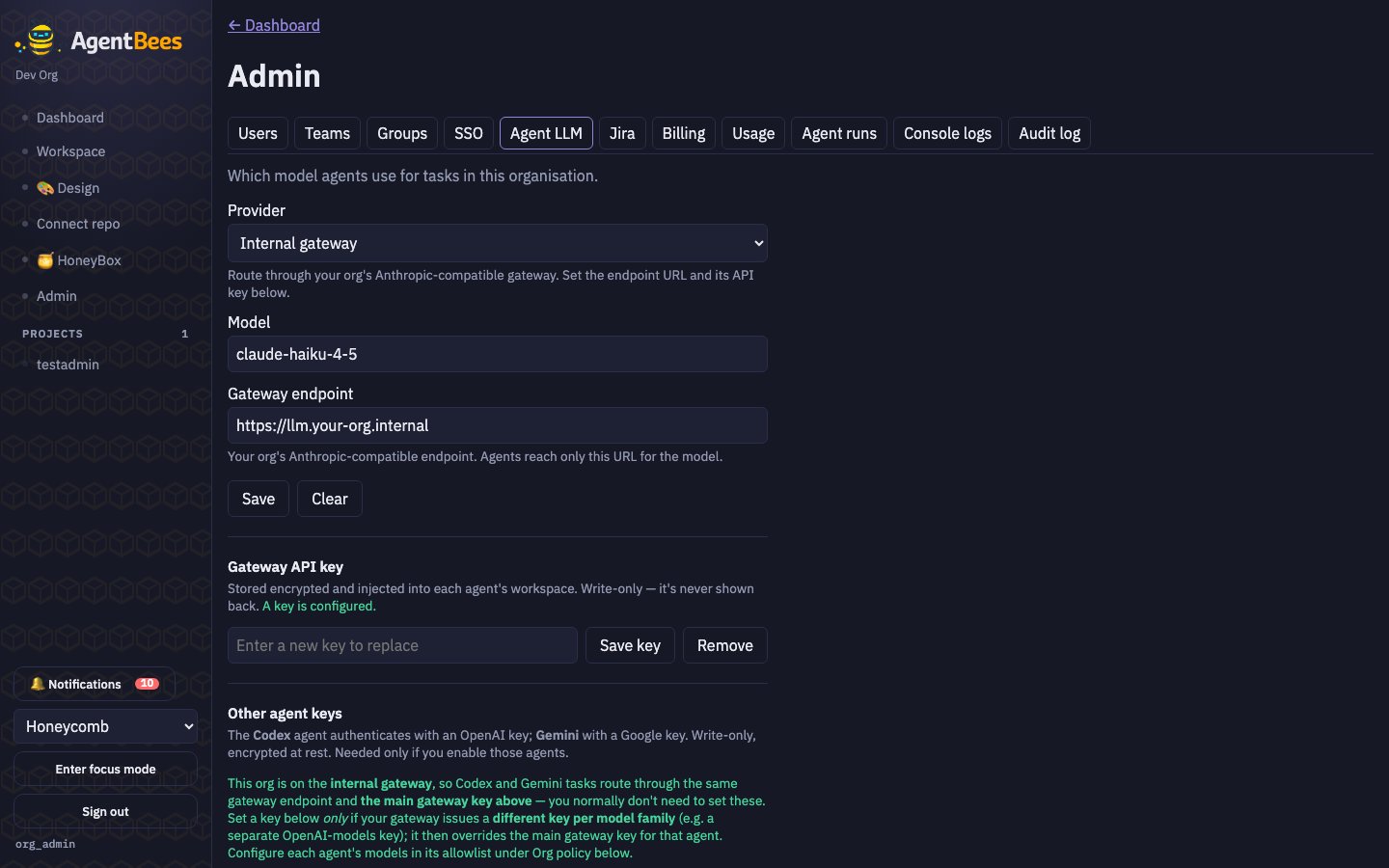
Admin → Agent LLM — provider, model, endpoint, and write-only keys.
This panel is org-admin only, and all API keys are write-only — you set them, and the UI
only ever shows whether a key is configured, never its value. Keys are encrypted at rest.
Provider & model
1
Pick a provider
Anthropic API, Internal gateway, AWS Bedrock, Google Vertex AI, or Azure AI (see Claude
Code for what each means).
2
Set the model
A free-text field with per-provider suggestions. It’s free-text because Bedrock/Vertex take
inference-profile IDs or ARNs — enter exactly what your backend exposes. Provider and model must
be set together.
3
Add a key (Anthropic / gateway only)
Bedrock, Vertex, and Azure authenticate via cloud identity and store no key.
Per-agent keys
Codex and Gemini use their own keys:- OpenAI key (Codex) — needed only if you enable Codex.
- Google key (Gemini) — needed only if you enable Gemini.
Org policy
The policy section governs what users may do:Common pitfalls
- No LLM configured → “Tasks can’t be dispatched until one is set.”
- Provider without a model (or vice-versa) → they must be set together.
- Gateway base URL with a trailing
/v1→ see Internal gateway.