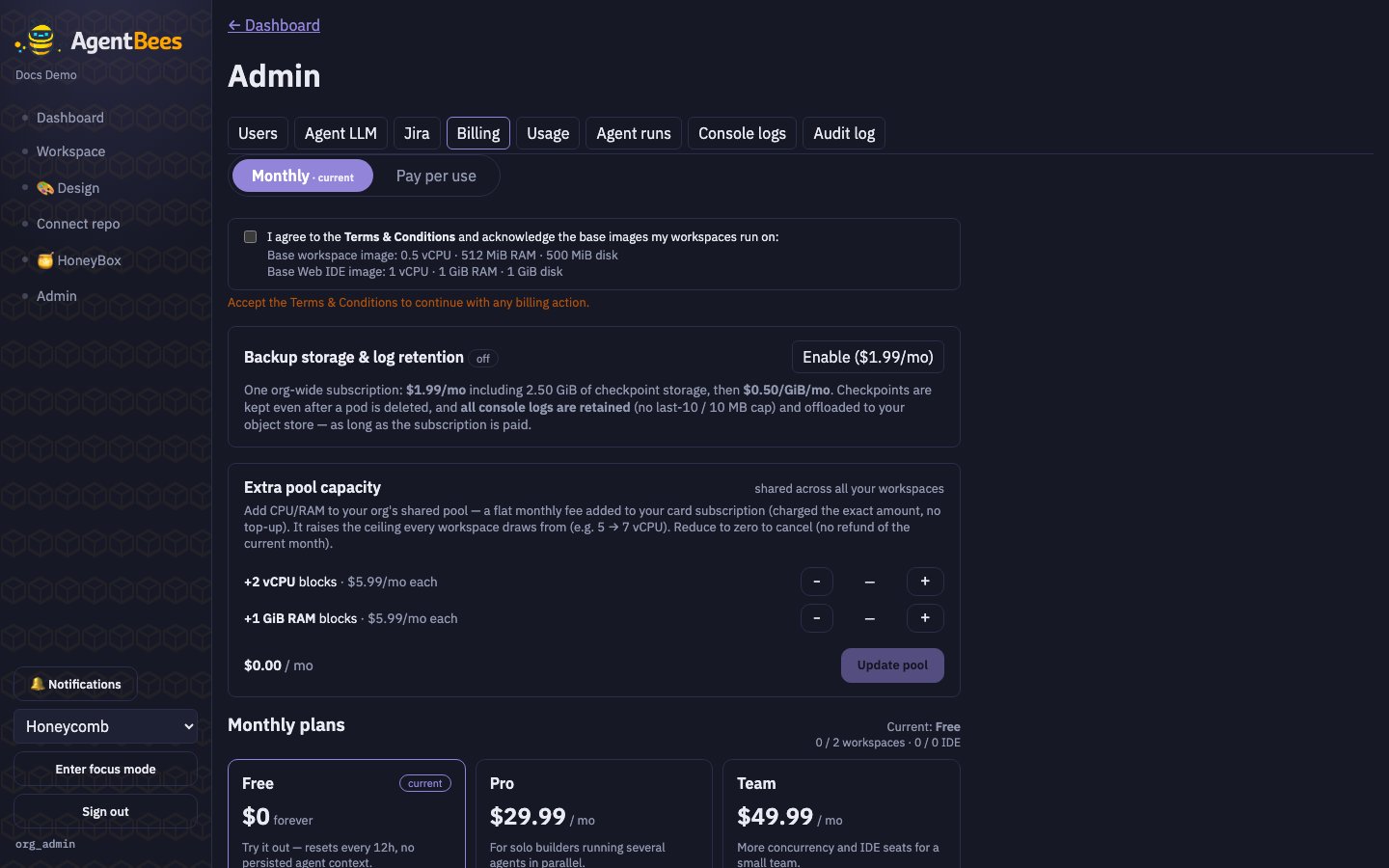
Admin → Billing → Monthly — the Free / Pro / Team plan cards.
Plans at a glance
Workspaces are a shared pool.
up to 10 total is the combined ceiling for regular + IDE
workspaces — IDE seats are a subset of the pool, not extra. A Pro org can run, say, 7 regular
workspaces and 3 IDE workspaces, but not 10 + 3.How the shared pool works
Each plan comes with a per-org compute pool (e.g. Pro = 5 vCPU / 10 GiB). Your running workspaces draw from that pool. Because the base workspace is lean (½ vCPU / 512 MiB), many can pack into the pool at once. When a task finishes, its slot is freed for the next one. Pipelines reserve slots. Starting a 5-agent pipeline allocates 5 workspaces from the pool; while it runs, only the remaining capacity is available for new tasks. When the pipeline completes, all its slots free up.Subscribing
1
Open Admin → Billing → Monthly
You’ll see the three plan cards and your current plan.
2
Choose Pro or Team
A subscription cart opens with the plan and any optional add-ons.
3
Accept the Terms & Conditions
Tick the box acknowledging the base images (required on every checkout).
4
Pay
Checkout is on Stripe. Your subscription activates as soon as payment succeeds, and the exact
amount is charged to your card.
Extra pool capacity (add-on)
Need more concurrency than the plan’s pool? On the Monthly tab you can buy extra shared-pool capacity as a card-billed add-on:- +2 vCPU — $5.99/mo per block
- +1 GiB RAM — $5.99/mo per block
Changing plans
Upgrading or downgrading happens in place on your existing subscription, with proration: if you upgrade partway through a cycle, you’re charged only the prorated difference for the days remaining, and the full new price applies from the next cycle.The subscription bill is fully itemized so you can see exactly what you’re paying for — plan,
seats, add-ons, and pool capacity as separate lines. To cancel or switch away, use the Stripe
billing portal; AgentBees never auto-cancels for you.