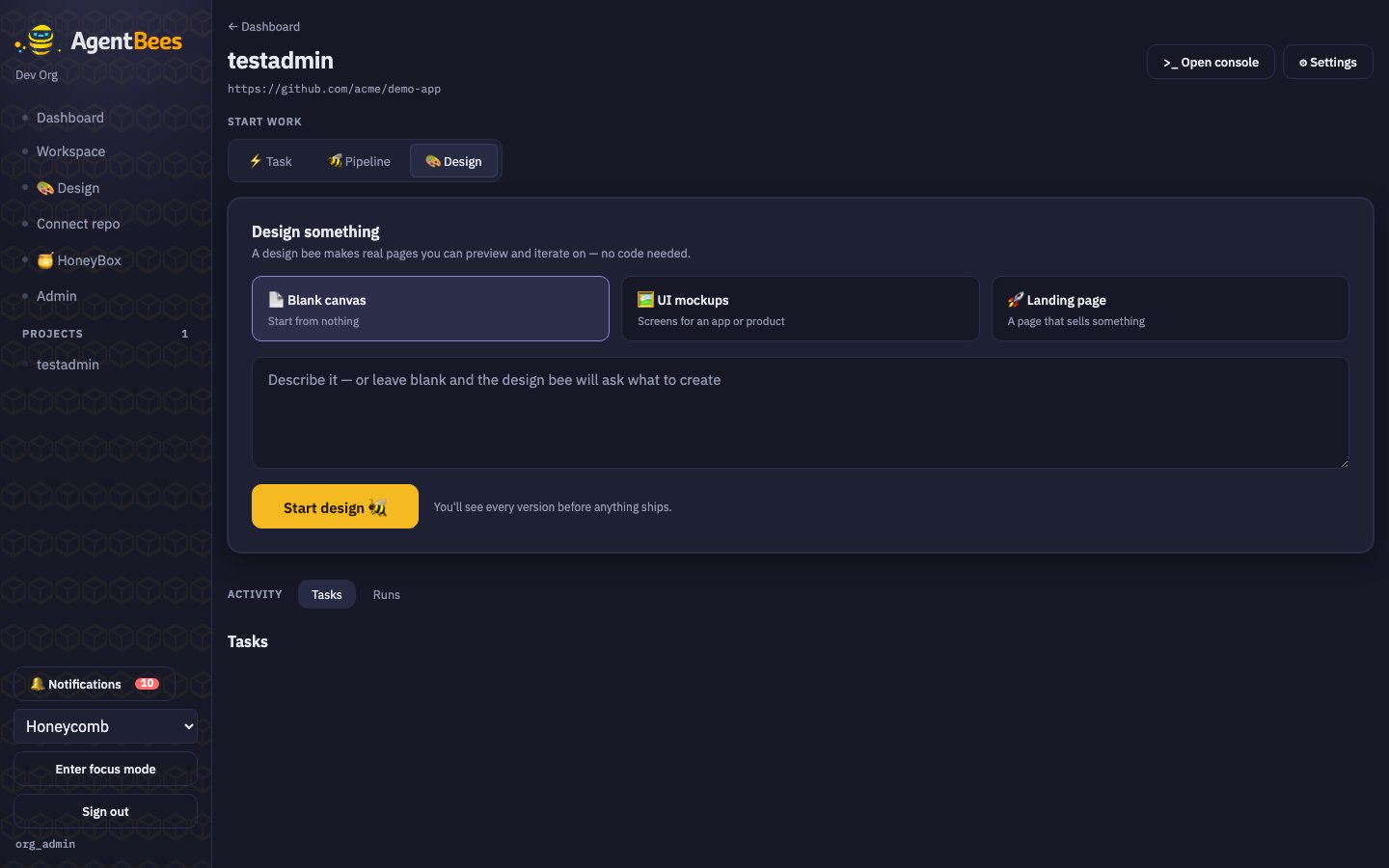
Design mode — pick a starter, write a brief, and a design bee makes previewable pages.
What it produces
A design task writes a single, self-containeddesign/index.html (all CSS/JS
inlined) so it renders in a sandboxed preview. The agent works only under
design/ — it never modifies your existing app.
Start a design
1
Open the 🎨 Design tab
On the project page (or the standalone Design screen).
2
Pick a starter + write a brief
Choose a template card and describe what you want.
3
Start design 🐝
A design bee makes real pages you can preview and iterate on. You’ll see every version before
anything ships.
Design mode runs on Claude and doesn’t require the repo to be writable — it works in a scratch
space under
design/. It’s one of three experiences (Code, Cowork, Design) that share the same
engine.From design to implementation
Design outputs pair naturally with a pipeline: the Design Agent role produces mockups plus adesign/SPEC.md (screens, components, states,
and the backend APIs they imply). Later stages — the coding agent and the PR review
agent — use that spec as the reference to build against and check the built UI
against.